Apr 10, 2026
The Best AI Scribes for Vet Clinics Remember Your Practice
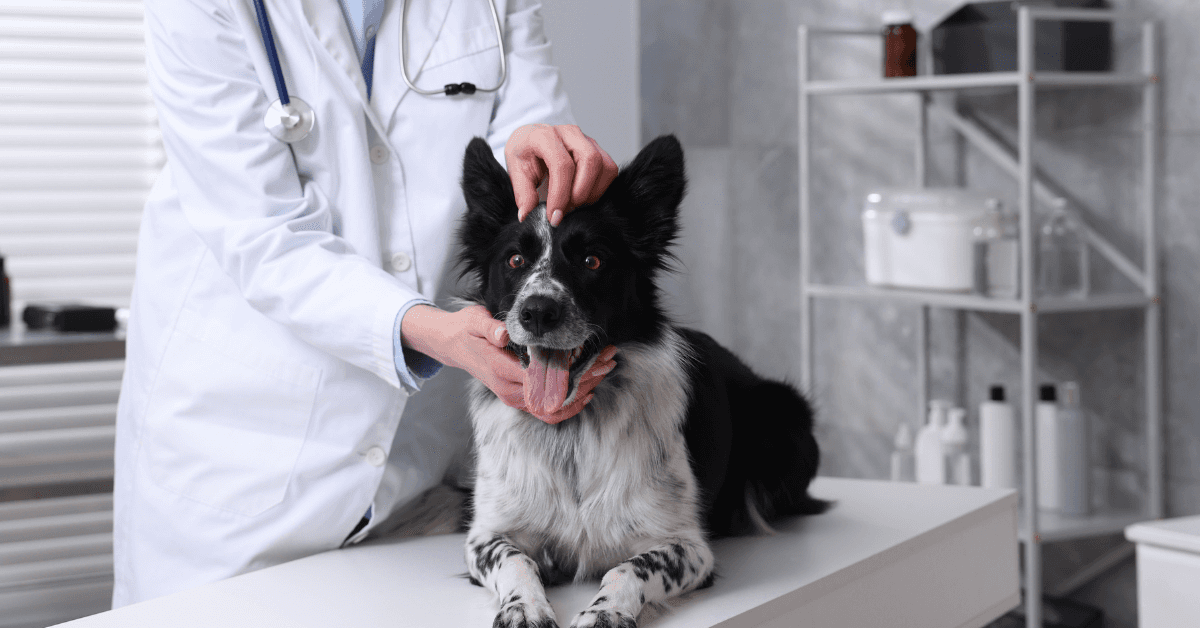
The best AI scribes for vet clinics do more than transcribe a consult. They learn how your practice operates and carry that into every note they generate.
That distinction matters more than most vets realise when they're first evaluating tools. Accurate notes are the baseline. Notes that sound like they came from your clinic, not a generic template, is what makes an AI scribe actually usable without editing every output.
VetNotes Memory is built to close that gap. This post explains how it works and what to add to get the most out of it.
What Makes One AI Scribe Better Than Another
Most AI scribes for vets produce structurally sound SOAP notes. The clinical language is accurate, the format is correct, and the note captures what happened in the room.
But accurate is not the same as right for your practice.
A vet clinic in Woolloomooloo has different conventions to one in Christchurch. Different ways of addressing clients, different currency, different preferred clinical phrasing. Generic AI output doesn't know any of that.
The best AI scribes give you a way to fix this without manual editing after every consult.
How VetNotes Memory Works
VetNotes Memory lets you give VetNotes a brief about your clinic in plain text. VetNotes reads it every time it generates a note and applies it throughout the output.
You write it once. It runs in the background from that point forward.
There is no required format and no set of fields to fill in. You write what your clinic needs the AI to know, the same way you'd brief a new team member before their first shift.
What to Add to Your Clinic Memory
Start with the basics that create the most friction in your current output. Common additions:
Location: "Our clinic is in Woolloomooloo, NSW."
Currency: "Use $ for currency. We are in Australia and never use £."
Client addressing: "Always refer to owners by first name."
Practice name: "We are Harbour Road Veterinary Clinic. Do not refer to us as 'the practice' or 'the clinic'."
Tone: "Discharge notes should be written in plain English for a general audience, not clinical language."
Clinical conventions: "We use 'guardian' rather than 'owner' in all written communications."
Add more as you notice the places where the AI gets close but not quite right. VetNotes Memory can hold as much context as your clinic needs.
Why This Matters for Multi-Vet Practices
In a single-vet clinic, inconsistency is manageable. One clinician, one style.
In a practice with three or four vets, a patient's record can read like it was documented by different people working in different systems. Because it was. AI scribes don't automatically fix that. They reflect the input they receive.
VetNotes Memory applies the same clinic context to every note generated in your practice, regardless of which vet ran the consult. The clinical judgment in the assessment and plan still belongs to the individual clinician. The conventions and formatting stay consistent throughout.
For practice managers reviewing notes or onboarding new graduates, that consistency has real value. A shared documentation baseline is easier to audit, easier to train against, and easier to defend if questions arise later.
What This Looks Like for Vets Evaluating AI Scribes
If you are comparing AI scribes for your vet clinic, ask each one: can I give it specific context about how my practice works?
A tool that generates accurate but generic notes will still require editing. The time you save on transcription gets partially offset by the time you spend correcting output that doesn't fit your practice.
VetNotes Memory removes that offset. The notes come out accurate and right for your clinic, because the AI knows both things going in.
Getting Started
Open VetNotes, go to Settings, and find the Memory section. Add your clinic context in plain text.
Start with location, currency, and how you address clients. Review a week of notes and add anything the AI consistently gets close but not exactly right.
The notes that come out should be accurate, consistent, and yours.
Set it up for your practice here: app.venotes.com
Frequently Asked Questions
What is VetNotes Memory?
VetNotes Memory is a feature that lets you give VetNotes context about your clinic in plain text. VetNotes reads that context every time it generates a note and applies it throughout the output. You add it once and it runs automatically from that point forward.
What kind of information can I add to VetNotes Memory?
Anything relevant to how your clinic operates. Common examples include your clinic's location and suburb, the currency you use, how you prefer to address clients, your practice name, preferred clinical phrasing, and the tone of your discharge notes. There is no required format and no character limit. Write it the same way you would brief a new team member.
Does VetNotes Memory replace my clinical judgment?
No. VetNotes Memory only carries context about your clinic's conventions and preferences. The clinical reasoning in your assessment and plan still comes entirely from you. The AI captures what you say in the consultation and structures it. Memory tells it how to format and frame that output to match your practice.
Does VetNotes Memory apply to all vets in my practice?
Yes. Once you set up Memory for your clinic, it applies to every note generated in that practice regardless of which vet runs the consult. This is particularly useful for multi-vet clinics that want consistent documentation formatting across the team.
How is VetNotes Memory different from templates?
Templates define the structure of a note. Memory defines the context the AI brings to every note it writes. They work together. A template tells VetNotes what sections to include. Memory tells VetNotes how your clinic refers to clients, where you are located, and what conventions to follow throughout.
What if my clinic's preferences change?
You can update VetNotes Memory at any time. If you move locations, change your preferred client-addressing style, or want to adjust how the AI frames discharge notes, you edit the Memory text and the change applies to all notes generated after that point.
Does VetNotes Memory affect note accuracy?
No. The clinical content of your notes, the SOAP structure, clinical observations, and treatment plan, is generated from what is said in the consultation. Memory shapes the formatting and conventions of the output, not the clinical substance.
Which practice management systems does VetNotes integrate with?
VetNotes integrates with EzyVet, RxWorks, OpenVPMS, Covetrus Ascend, Petbooqz, and Teleos. Notes are sent directly into the patient record in your PMS. VetNotes Memory applies before the note is sent, so the output that lands in your system already reflects your clinic's context.
Related Blogs
See All Blog The Best AI Scribes for Vet Clinics Remember Your Practice
The best AI scribes for vet clinics do more than transcribe a consult. They learn how your practice operates and carry that in
AI in Veterinary Practice: What’s Actually Going to Change
How do I use AI in my vet practice?The biggest AI opportunity right now for vet clinics is automating clin
What Is a SOAP Note in Veterinary Practice?
What is a SOAP note in veterinary practice?A SOAP note is a structured clinical record used to document a
A management platform to help you succeed
Simplify your workforce's time management with our intuitive HR Management.
Book 15-min demo160+ Countries

Canada

Ecuador

Guinea

Romania
Canada
Ecuador
Guinea
Romania

Scotland

Qatar

Honduras

Cuba
Scotland
Qatar
Honduras
Cuba

Brazil

Argentina
Canada
Ecuador
Brazil
Argentina
Canada
Ecuador
Guinea
Romania
Scotland
Qatar
Guinea
Romania
Scotland
Qatar
Putting our customers at the heart of everything we do, we strive.
12M secured users

Putting our customers at the heart of everything we do, we strive.