Mar 03, 2026
Feature Spotlight: Patient History Summariser

You can upload a clinical history from another vet, specialists & emergency centres, and VetNotes will extract the key clinical details. Then VetNotes let's you save the summary and push it straight to your practice management software.
Key Benefits
Save time getting up to speed on cases
Quickly find the key info about an animal's clinical history
Simple - 2 click process - and the summary syncs to your practice management software
Accurate - developed by vets with decades of experience
Integrated - with your practice management software
Drag and drop the PDF or document into VetNotes
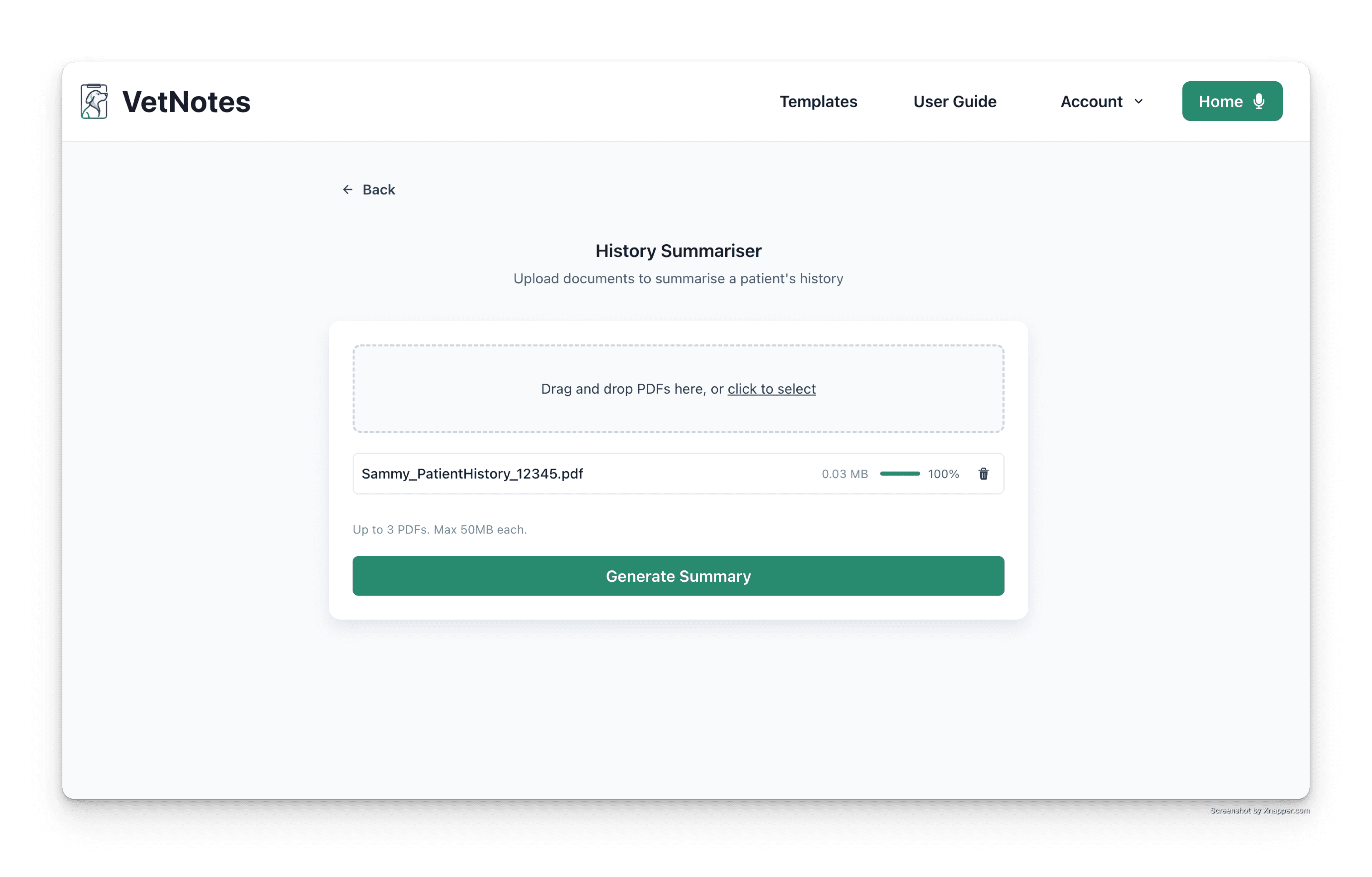
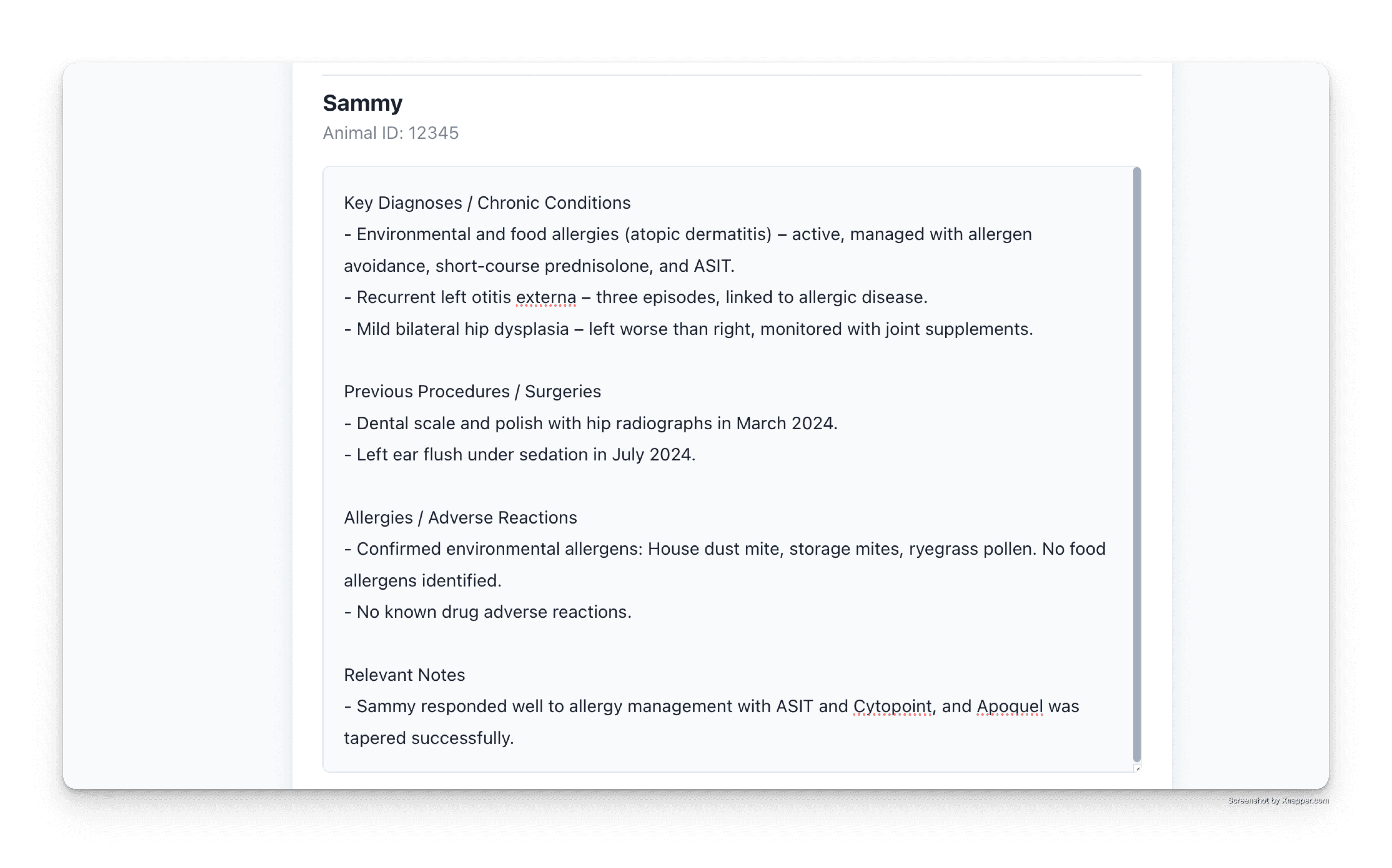
VetNotes will extract key clinical info.
PDFs can be 100s of pages long, and it will generate a time-saving summary.
The original document can be viewed - so you can verify the information
The summary can be edited, before being pushed into your Practice Management System
VetNotes will add the summary as a clinical note, on the patient's file.
Related Blogs
See All Blog
The Best AI Scribes for Vet Clinics Remember Your Practice
The best AI scribes for vet clinics do more than transcribe a consult. They learn how your practice operates and carry that in
AI in Veterinary Practice: What’s Actually Going to Change
How do I use AI in my vet practice?The biggest AI opportunity right now for vet clinics is automating clin
What Is a SOAP Note in Veterinary Practice?
What is a SOAP note in veterinary practice?A SOAP note is a structured clinical record used to document a
A management platform to help you succeed
Simplify your workforce's time management with our intuitive HR Management.
Book 15-min demo160+ Countries

Canada

Ecuador

Guinea

Romania
Canada
Ecuador
Guinea
Romania

Scotland

Qatar

Honduras

Cuba
Scotland
Qatar
Honduras
Cuba

Brazil

Argentina
Canada
Ecuador
Brazil
Argentina
Canada
Ecuador
Guinea
Romania
Scotland
Qatar
Guinea
Romania
Scotland
Qatar
Putting our customers at the heart of everything we do, we strive.
12M secured users

Putting our customers at the heart of everything we do, we strive.